
Fine Art Museum App

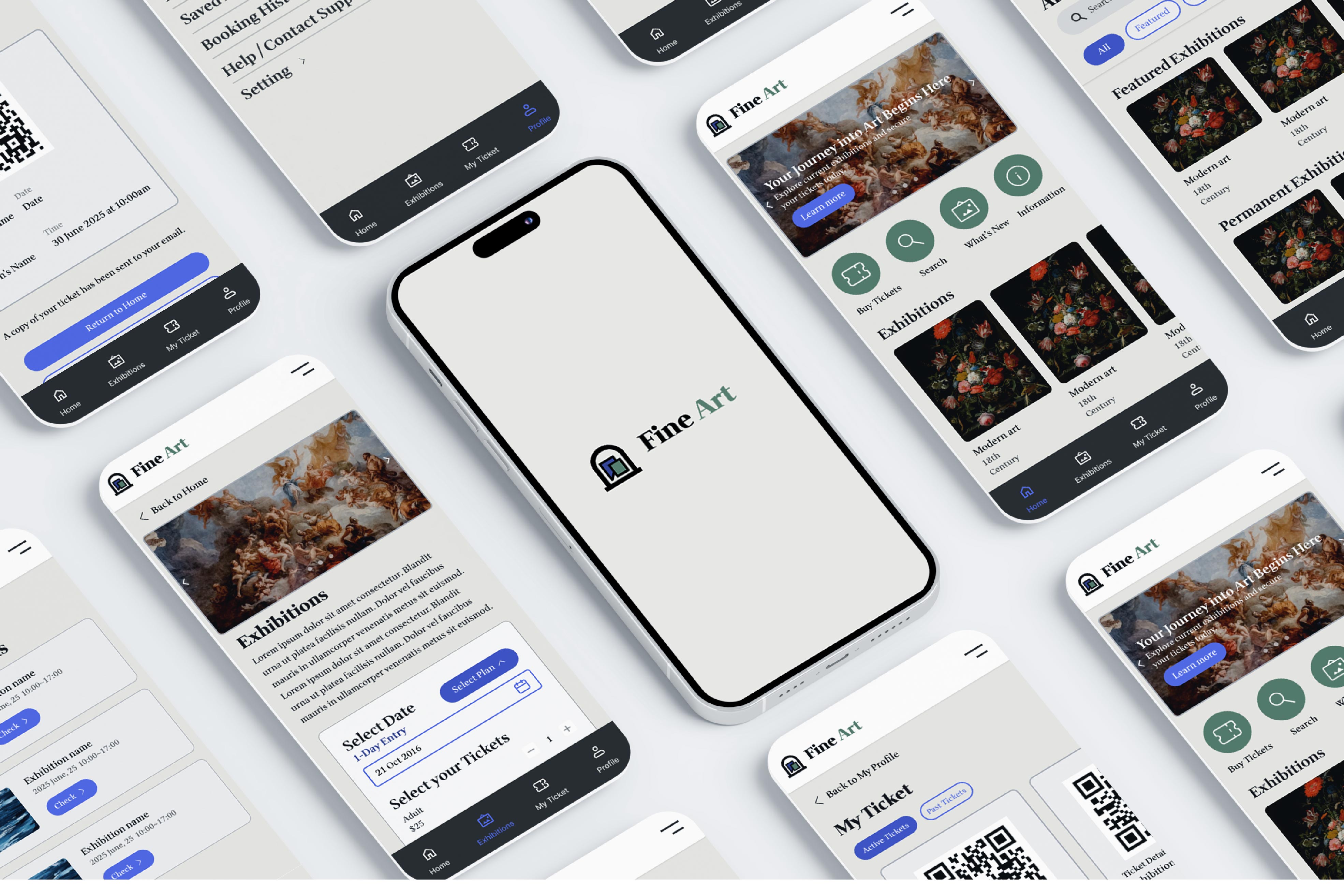
Fine Art Museum is a self-initiated UX project exploring how a mobile app can improve museum navigation, accessibility, and visitor engagement.
UIUX Designer/Brand Designer
Figma, Illustrator, Photohop
Pain Points

1. Difficulty Navigating the Museum

Large museums can be confusing, and visitors often struggle to find specific exhibitions or artworks.

2. Overwhelming or Hard-to-Access Information

Artwork descriptions are often long, dense, or displayed far from the artwork, making it difficult to understand the context quickly.

3. Limited Engagement with Exhibits

Traditional museum visits can feel passive. Visitors want more interactive and immersive ways to engage with the art.

4. Accessibility Challenges

Users with visual, hearing, or mobility difficulties often cannot fully access exhibit information or navigate the space comfortably.

User Research & Wireframes

Methods

  • Interviews with museum visitors and staff
  • Surveys to identify key user needs
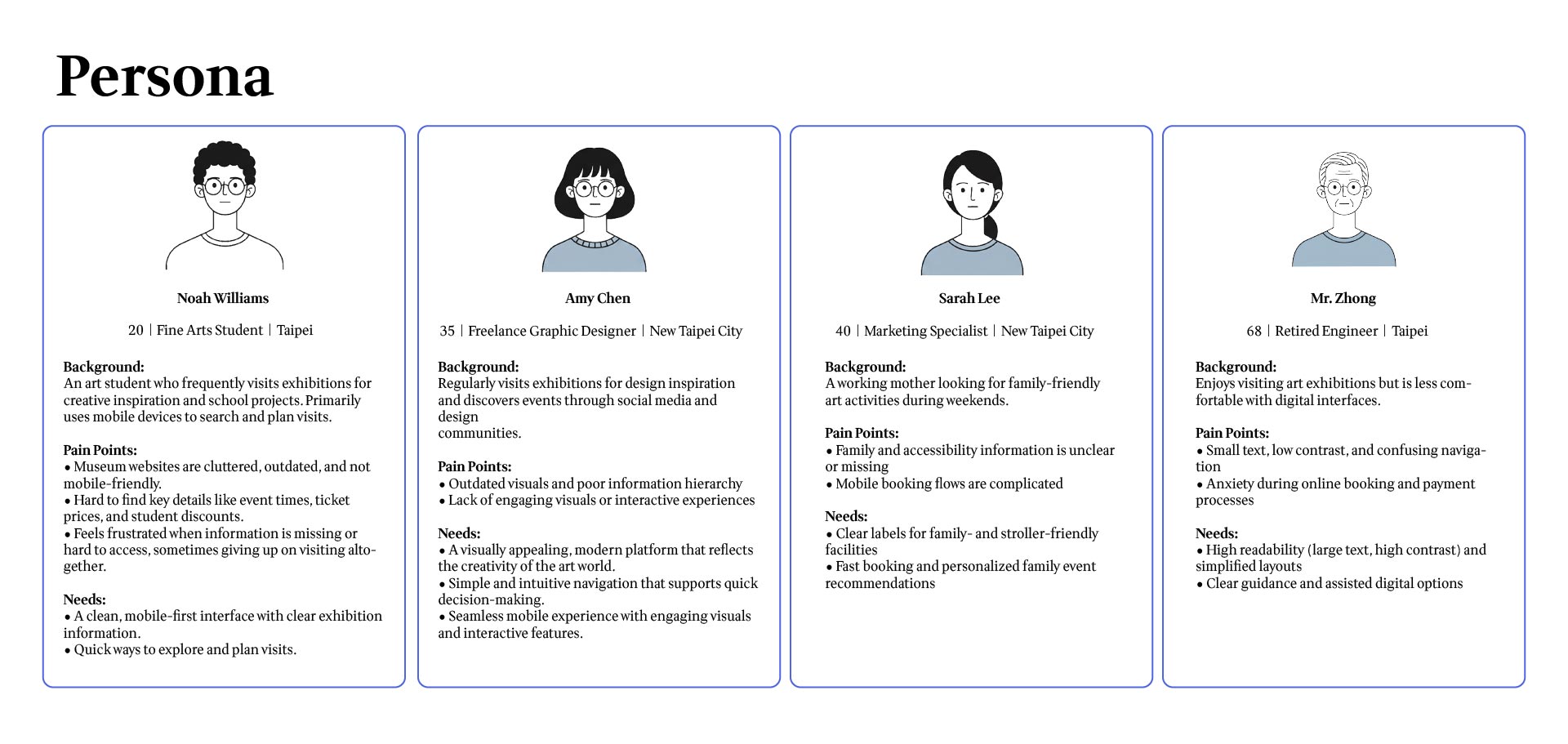
  • Personas representing different visitor types

Key Insights

  • Visitors often feel lost navigating large museum spaces
  • Users want more engaging ways to learn about artworks
  • Lack of personalization limits the overall experience

Ideation & Wireframes

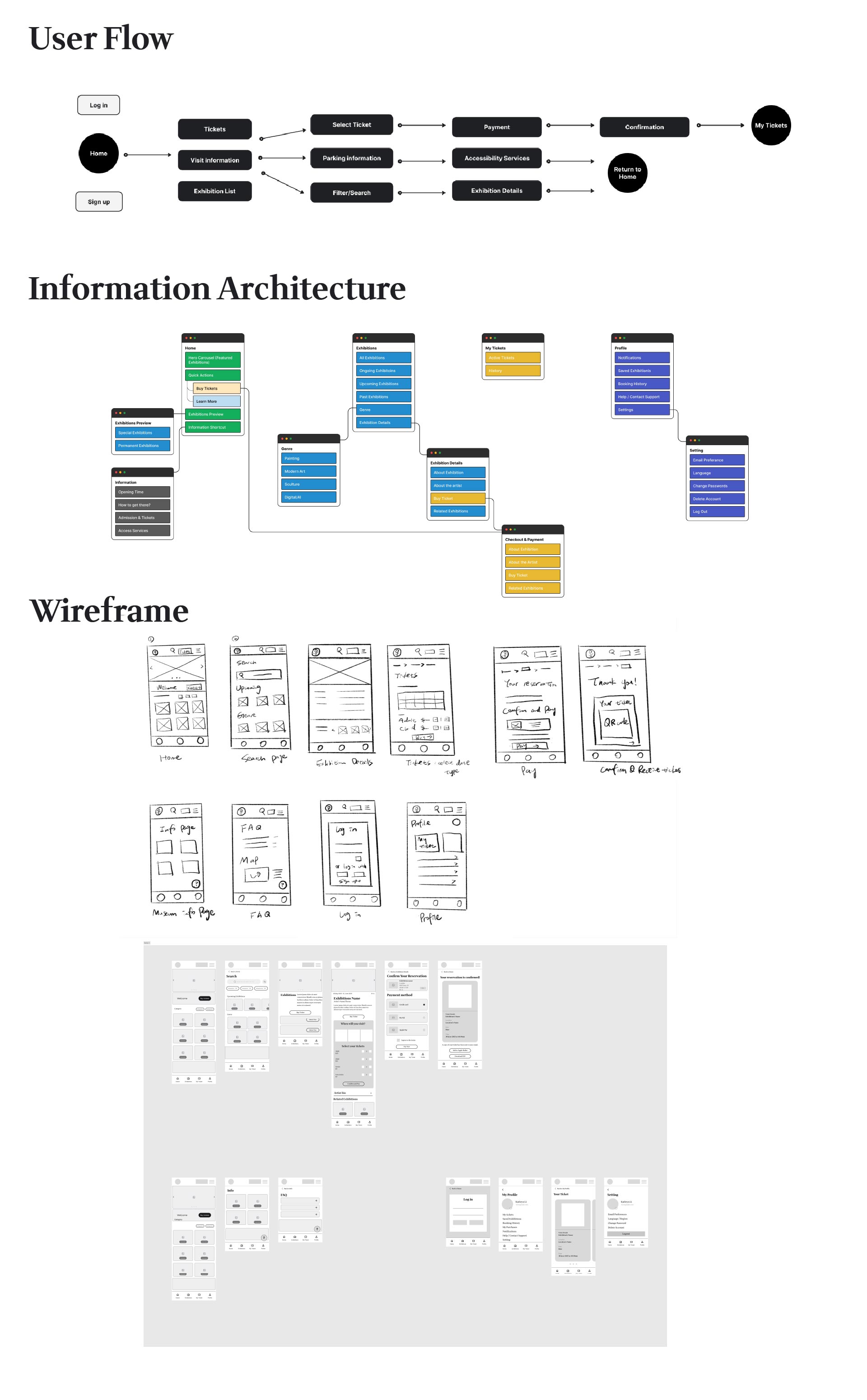
Low-Fidelity Wireframes

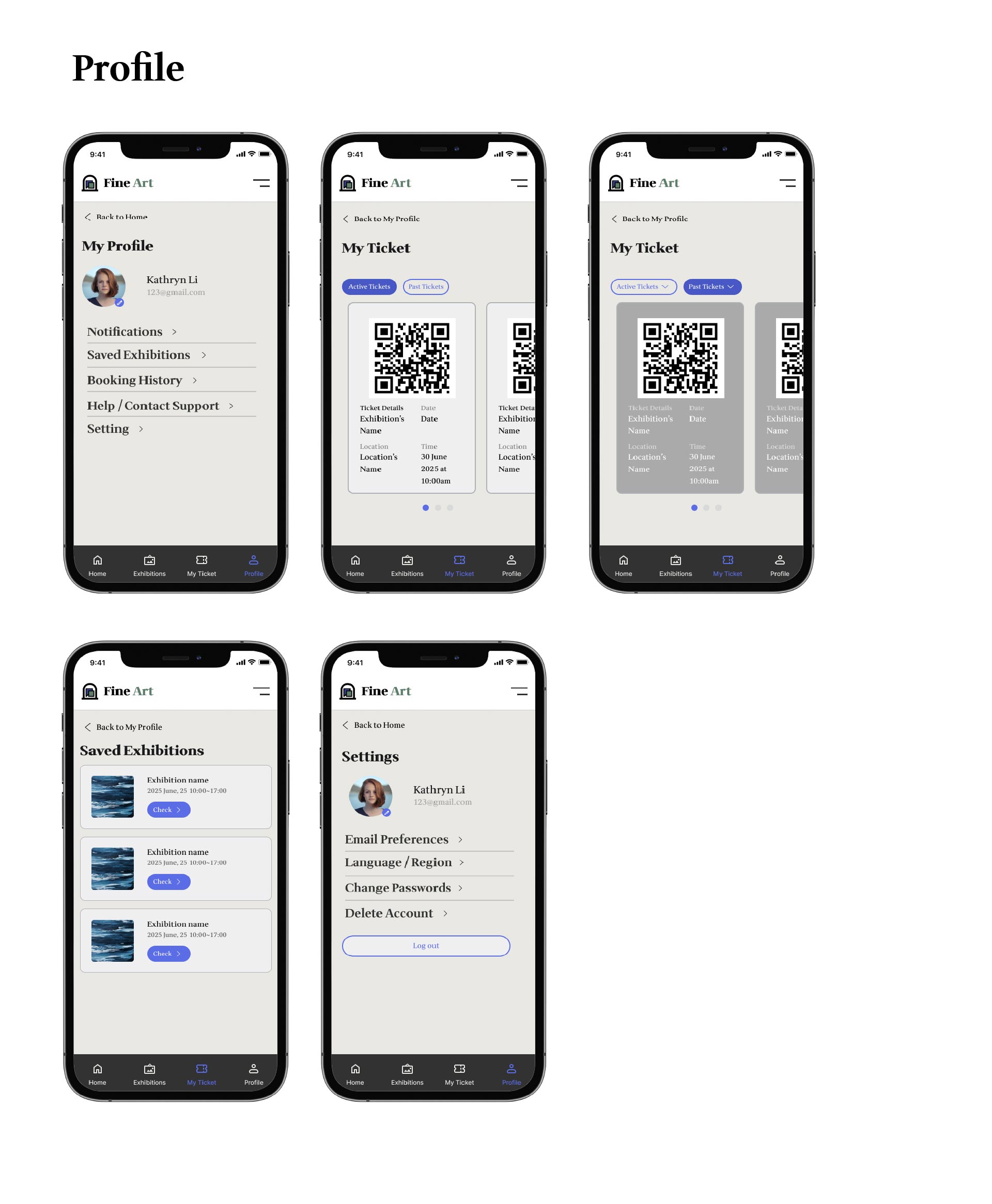
I created low-fidelity wireframes to establish the core structure of the app, focusing on:

  • Clear and intuitive navigation
  • Scannable artwork information
  • Simple ticket purchase and access flow
  • Easy-to-find visitor information (parking, hours, pricing)
Design Decisions
  • Consistent navigation to reduce confusion
  • Clear information hierarchy to prevent overload
  • Accessible layouts for a wide range of users

These wireframes formed the foundation for the first interactive prototype used in usability testing.
No items found.
Usability Testing

I conducted an unmoderated remote usability test with 5 participants using a high-fidelity Figma prototype.
Objectives
  • Evaluate how easily users could find exhibitions and artworks
  • Validate the ticket purchase and ticket access flow
  • Test discoverability of key visitor information (parking, prices, hours)
Method
  • Type: Unmoderated usability testing
  • Format: Remote
  • Participants: 5 frequent museum visitors
  • Session length: 10–15 minutes
Key Findings
  • Users found exhibitions easily but struggled to locate specific artworks due to a dense list layout
  • Ticket purchase flow was clear, but users expected stronger confirmation feedback
  • Parking information was hard to find, while ticket prices were clear and opening hours were less noticeable
Design Improvements
  • Improved exhibition-to-artwork navigation with a more scannable layout
  • Added a clear purchase confirmation screen with a CTA to view tickets
  • Reorganized visitor information into tabs for faster access

No items found.
Prototype & Interactions

I created a fully interactive prototype to showcase how the app would flow in real life.

  • Users can go from the home screen to a specific artwork in just a few taps.
  • In-app navigation is seamless, with easy-to-read exhibition maps and artwork details.
  • The prototype link allows viewers to see the user flow in action.

I made sure the design was accessible for all users:
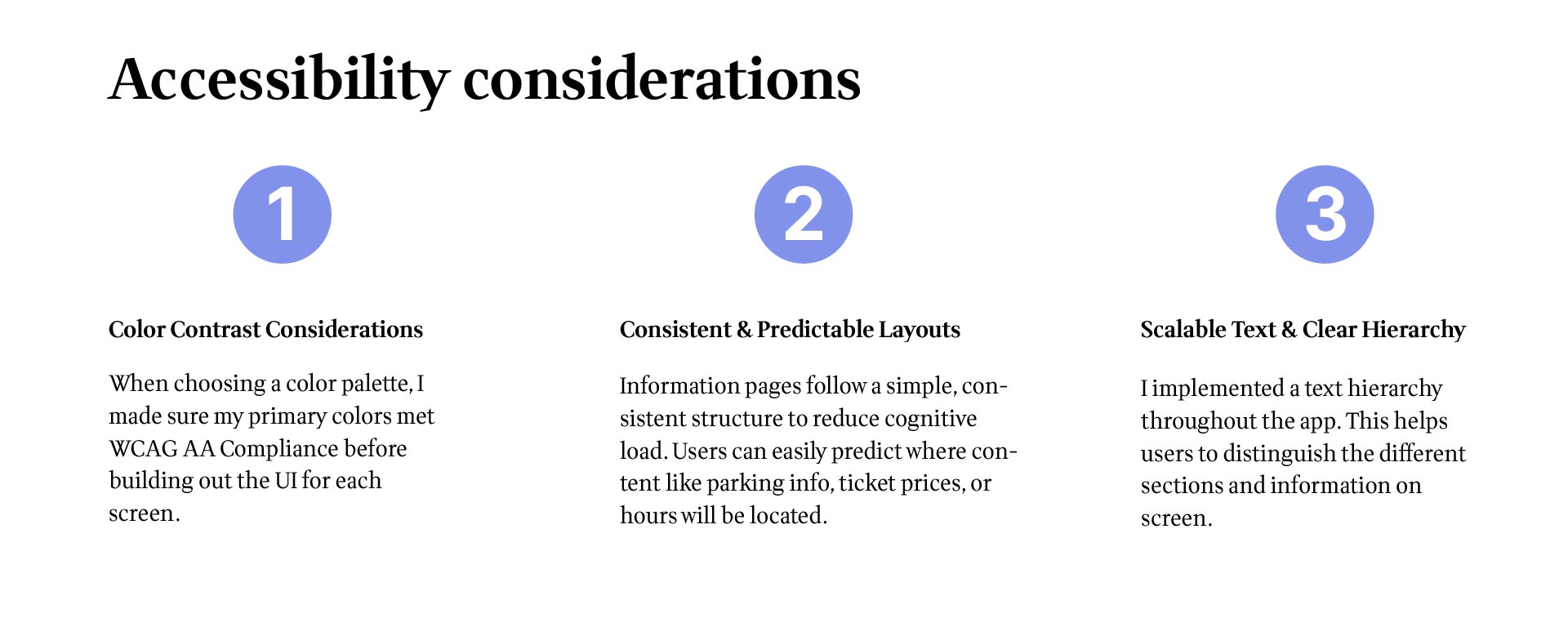
  • Text contrast meets WCAG 2.0 standards for readability.
  • Added alternative text for all images (especially for artworks).
  • Designed interactive elements to be large enough for easy tapping, accommodating users with motor disabilities.
Key Takeaways

Impact

  • The redesigned exhibition list and new search/filter tools helped users find exhibitions faster and with less confusion.
  • Consolidating visitor information into clear categories improved task efficiency, especially for finding parking, ticket prices, and opening hours.
  • A clearer ticket purchase flow and confirmation screen reduced uncertainty and improved user confidence during checkout.

Overall, these improvements created a more accessible, intuitive, and enjoyable experience for museum visitors, regardless of their familiarity with digital tools.

What I Learned

  • I learned how valuable usability testing is in revealing friction points that are not obvious during design. Small issues, like unclear labels or unorganized content, can significantly affect how users navigate.
  • This project strengthened my ability to simplify complex information and structure it in a way that supports different types of users.
  • I deepened my understanding of accessibility best practices, ensuring that design decisions work for users with visual, motor, or cognitive challenges.
  • Most importantly, I learned to iterate quickly—testing early ideas, validating assumptions, and refining designs to better align with real user needs.

Let's work together !

Let’s create something amazing together! Whether you're looking for a designer to bring your vision to life or want to collaborate on a project, I’d love to hear from you. Drop me a message, and let’s make it happen!

Thank you! Your submission has been received!
Oops! Something went wrong while submitting the form.